

 Cart
Cart%20-%20Use%20the%20Describe%20Your%20Web%20Site%20Users%20Worksheet%20to%20give%20to%20your%20client%20to%20be%20filled%20out.%20This%20document%20is%20used%20with%20other%20related%20worksheets%20for%20your%20client%20to%20give%20you%20information%20about%20their%20web%20site%20development%20project.%20Hundreds%20of%20project%20management%20documents%20available%20from%20ProposalKit.com. "Pin this Describe Your Web Site Users Worksheet (R04)")
Describe Your Web Site Users Worksheet (R04)
 Get 20% off ordering today: Click here for the code
Proposal Kit Professional adds business proposals, all six Contract Packs,
Project Management Pack library, and Expert Edition software.
We include this editable document in the Proposal Kit Professional. Order and download it for $199. Follow these steps to get started.
 DOWNLOADABLE, ONE-TIME COST, NO SUBSCRIPTION FEES
Key Takeaways
- One-time License, No Subscriptions: Pay once and use Proposal Kit forever-no monthly fees or per-use charges.
- Built for Business Projects: Start with a proven Describe Your Web Site Users Worksheet (R04) and tailor sections, fields, and branding for your day-to-day project work.
- Instant Access: Download immediately and open the document right away-no waiting, no onboarding delay.
- Project-Ready Structure: Use a ready, professional layout for real-world project tasks (checklists, forms, analysis pages) so teams can execute consistently.
- Fully Editable in Word: Edit everything in Microsoft Word-swap text, add/remove sections, and apply your logo/colors without special skills.
- Step-by-Step Wizard Help: The Proposal Pack Wizard guides you with training/help and keeps you moving-no getting stuck on formatting or assembly steps.
- Wizard Data Merge & Project Management: Let the Wizard manage projects and merge recurring data (company/client names, addresses, dates) across your project documents.
- Included in Proposal Kit Professional: Available exclusively in the Proposal Kit Professional bundle.
 What Our Clients Say
I have been using Proposal Kit Professional since 2006. I was hesitant to get it at first, not knowing the company or what quality I would get. I decided to go ahead and try it out and I have been thankful ever since. The proposals and especially the contracts are both professional and relevant to my work. While I am using the primarily for IT, I found myself going back and using documents that I never thought I would need or even thought about needing. I was glad to have purchased the whole kit and not just a single Proposal Pack."
Web Creations & Consulting LLC
1. Get Proposal Kit Professional that includes this business document.
We include this Describe Your Web Site Users Worksheet (R04) in an editable format that you can customize for your needs.
2. Download and install after ordering.
Once you have ordered and downloaded your Proposal Kit Professional, you will have all the content you need to get started with your project management.
3. Customize the project template with your information.
You can customize the project document as much as you need. You can also use the included Wizard software to automate name/address data merging.
Use cases for this document
City of Riverview retools its citizen portal for accessibility and governance
The Challenge
When the City of Riverview planned a portal refresh, Priya Shah, the digital services lead, found fragmented roles and no clear rules for web editing or web authoring; administrators, moderators, content creators, privileged users, power users, and casual users all overlapped, while Title II obligations and WCAG 2.1 Level AA expectations required effective communication, equivalent facilitation, alternative text for images, and screen reader support across web content, mobile apps, archived web content, preexisting documents, preexisting social media posts, third party content, and password protected documents.
The Solution
The team completed the user reference document, mapped each audience to a site role, set what all user groups could view, and aligned policies to a technical standard so only designated owners could publish content while others used controlled web editing queues; they added rules for strong passwords and a remediation path for legacy items to ensure reasonable modifications and consistent governance.
The Implementation
They captured decisions in an Excel worksheet on OneDrive for real-time co-authoring in Excel for the web, used the Review tab to apply worksheet protection, protect sheet with a sheet protection password and a documented password to unprotect sheet stored in a secure vault, locked cells for governance fields while allowing contributors to select unlocked cells, insert rows, delete columns, format cells, and use Autofilter; with data validation, conditional formatting, sheet views feature, PivotTables, PivotCharts, and show or hide sheet tabs, the matrix stayed usable as responsibilities evolved, while Proposal Kit produced an Accessibility Implementation Plan, a Communications Policy, and an RFP response using AI Writer, RFP Analyzer, and automated line-item quoting.
The Outcome
Riverview reduced rework and improved compliance; content owners now publish content through a predictable workflow, citizens navigate services with accessible interfaces, and the city has a defensible audit trail linked to the policy documents created with Proposal Kit.
Acme Insight's governed analytics launch with Tableau and Excel controls
The Challenge
At Acme Insight, CTO Jordan Blake needed to open a Tableau site to clients without chaos, but project permissions were unclear, projects and groups overlapped, and no one knew who had publish capability, overwrite capability, view content, or delete content at the project level versus content level for workbooks and data sources.
The Solution
Using the user reference document, they defined site role assignments so only designated creators or an Explorer can publish, locked asset permissions, and allowed all users group read-only access; they standardized data source credentials, connect capability, extract refresh schedules, and rules for saving a copy, publish as, embed password, or prompt users for each published data source.
The Implementation
The governance map lived in an Excel desktop app workbook shared via a OneDrive share link, with sheet protection to protect sheet settings, strong passwords, and a password to unprotect sheet held by admins; they organized sheet tabs by content types, tracked permission rules with the permission dialog and effective permissions grid, and summarized assignments with PivotTable reports, while Proposal Kit generated a Data Governance Charter, Security Standards, and a Client Onboarding Guide through document assembly, AI Writer for supporting narratives, RFP Analyzer to align platform requirements, and line-item quoting for rollout costs.
The Outcome
Acme reduced incidents and sped up onboarding, owners publish content safely, workbooks and data sources follow clear permission capabilities, and leadership sees effective permissions at a glance, with all supporting documentation delivered consistently via Proposal Kit.
Sunrise Health Network builds an accessible donor and patient hub
The Challenge
Marketing director Elena Ruiz at Sunrise Health Network needed a hub that served both donors and patients, balancing password-protected documents for partners with accessible web content and mobile apps for the public, ensuring Americans with Disabilities Act alignment, WCAG 2.1 Level AA, reasonable modifications, and a plan to remediate archived web content and preexisting documents.
The Solution
They completed the user description reference to define administrators, moderators, content creators, and privileged users, clarified the line between web authoring and web editing, established site role policies for the all users group, and required alternative text, screen reader testing, and equivalent facilitation across channels.
The Implementation
The team codified governance in an Excel worksheet using Excel for the web with a OneDrive share link, applied worksheet protection from the Review tab with strong passwords and a stored password to unprotect sheet, used sheet views feature so teams could sort and filter data without conflicts, and enabled contributors to select unlocked cells while keeping governance fields locked; Proposal Kit created a Grant Proposal, Accessibility Roadmap, and Stakeholder Report with AI Writer for narratives, RFP Analyzer to compare CMS vendors, and line-item quoting for budgets.
The Outcome
The hub launched on time with clear rules to publish content and measure quality, patient access improved through an accessible design, donor trust rose with consistent governance, and the organization sustained momentum using the repeatable documentation set produced with Proposal Kit.
Abstract
This site-wide reference document guides teams to describe who the website serves and why. It asks you to define the resources and services users need, why they would bookmark the site, and how administrators, managers/moderators, content creators, privileged users, power users, and casual users differ. Clarifying these user types improves governance for web content and mobile apps, and it supports compliance with accessibility guidelines.
For public sector or state and local governments, align the experience with WCAG 21 Level AA and the Americans with Disabilities Act, including Title II obligations for effective communication. Plan alternative text, screen reader compatibility, reasonable modifications, and equivalent facilitation. Address archived web content, preexisting documents, preexisting social media posts, third-party content, and password-protected documents so all audiences can view content appropriately.
Translating roles into permissions is crucial. If your site embeds analytics, define Tableau site roles and project permissions across projects and groups. Use permission capabilities to control publish capability, overwrite capability, view content, delete content, and the ability for an Explorer to publish.
Manage groups or users using a permission dialog and the effective permissions grid at both the project level and content level. For workbooks and data sources, specify data source credentials, connect capability, extract refresh, and whether a published data source allows saving a copy, publishing as, or embedding a password versus prompting users. Lock asset permissions where needed to keep data sources published and governed.
This user reference often lives in an Excel worksheet for easy collaboration. Use Excel for the web or the Excel desktop app to share an Excel file via a OneDrive share link for real-time co-authoring. Apply sheet protection to protect a worksheet: set locked cells and unlocked ranges, add a sheet protection password or range password, and allow select unlocked cells, format cells, insert rows, delete columns, use Autofilter, sort and filter data, edit objects, and work with PivotTables, PivotCharts, and PivotTable reports.
Configure data validation, conditional formatting, and sheet views; show or hide sheet tabs to match content types. If needed, unprotect the sheet, confirm the password, and adjust permission rules so you can allow all users appropriate access while maintaining effective permissions.
Use cases include redesigning a municipal service portal, launching a member-only knowledge base, or governing analytics dashboards and data sources for a product support site.
Proposal Kit can help operationalize this document through document assembly, automated line-item quoting for project estimates, an AI Writer to build supporting documents, and an extensive template library. Its ease of use streamlines producing the policies, worksheets, and content plans that bring these user definitions to life.
Additionally, this user reference becomes more valuable when it drives concrete governance anchored to a technical standard. Translate each audience segment into a clear site role and permission policy: who can publish content, who has web editing and web authoring rights, and what the all users group is allowed to view. These decisions reduce rework, shorten onboarding, and create a predictable workflow across projects and groups. They also make audits easier by showing how responsibilities map to platforms and content types throughout the lifecycle.
Operationally, teams often maintain the register in an Excel worksheet. Use the Review tab to apply worksheet protection and protect sheet settings, setting strong passwords and documenting the password to unprotect the sheet in a secure vault. Define unlocked ranges for contributors and keep governance cells locked.
The sheet views feature helps each team filter the same data without clashing with others' work. These small controls preserve data integrity while enabling day-to-day collaboration.
Proposal Kit supports this effort by assembling consistent policies, matrices, and role definitions, then aligning them with estimates through automated line-item quoting. Its AI Writer helps produce supporting documents that explain how to publish content responsibly and sustain web editing standards. With an extensive template library, teams can quickly tailor guidance for each site role and the entire user group, ensuring a coherent governance package that stakeholders can use immediately.
To turn this reference into action, establish a measurable roadmap. Start with a short discovery workshop to map each user type to outcomes, then translate those outcomes into permission capabilities. At the project level, define who has publish capability, overwrite capability, and web authoring versus web editing rights; at the content level, specify who can view content or delete content.
Use the permission dialog and effective permissions grid to verify that groups or users match policy, and that the all users group only receives read access where appropriate. For analytics, set site role defaults on the Tableau site so only designated owners can publish content, publish as, or save a copy, and require data source credentials, connect capability, extract refresh, and whether to embed password or prompt users for each published data source.
Operationalize this governance in an Excel worksheet hosted on OneDrive to enable Excel for the web, real-time co-authoring, and sheet views feature. Build guardrails with data validation and conditional formatting so contributors pick approved content types and flag missing fields. Organize sheet tabs by projects and groups, then summarize assignments with PivotTables and PivotCharts.
On the Review tab, document permission rules and use worksheet protection to protect sheet settings. Store the password to unprotect the sheet securely and use strong passwords. Keep key governance fields in locked cells while allowing teams to select unlocked cells for updates.
These practices reduce onboarding friction, cut rework, and make audits easier. Teams can migrate preexisting documents and third-party content faster, publish content confidently, and keep web content quality high across mobile apps and other channels.
How to write my Describe Your Web Site Users Worksheet (R04) document
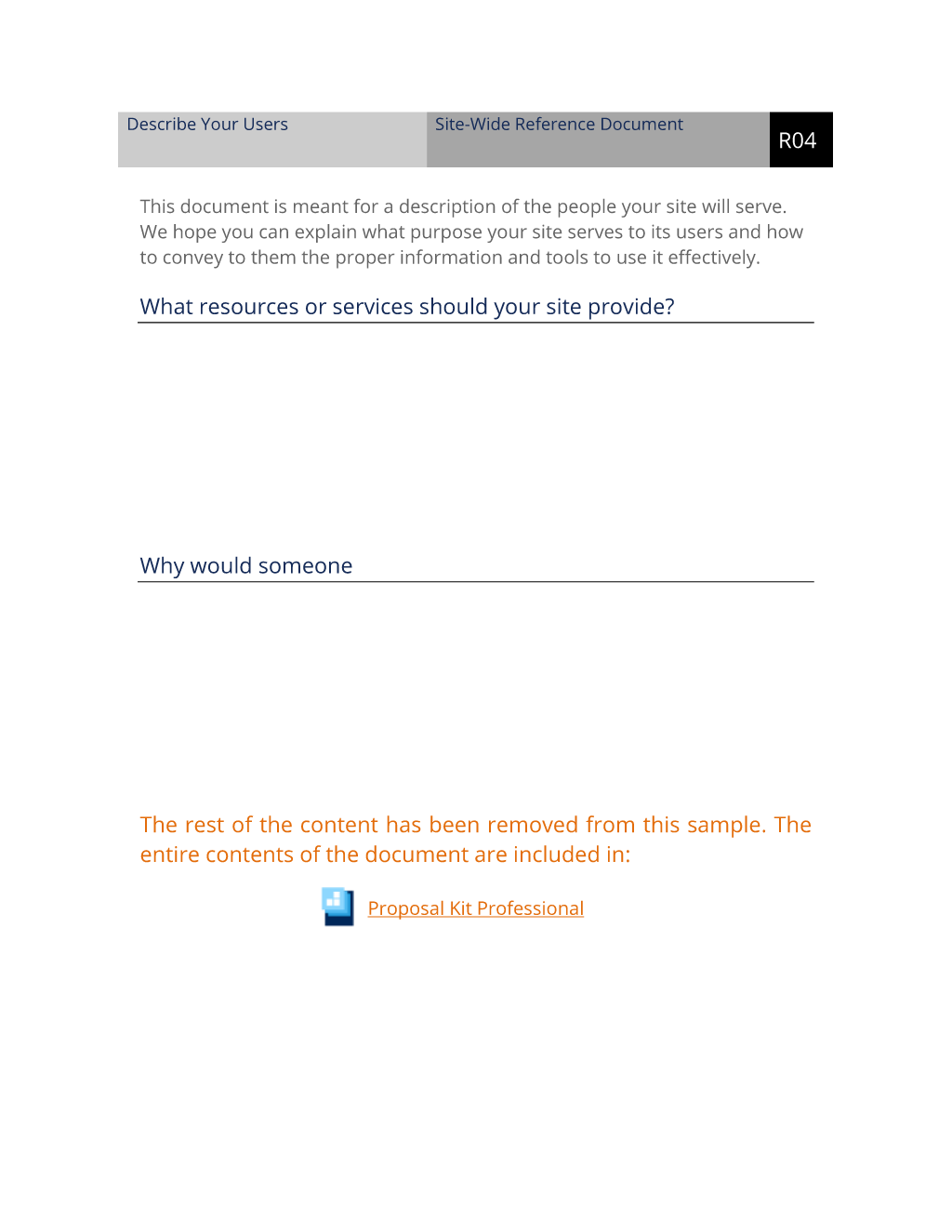
Describe Your Users Site-Wide Reference Document. This document is meant for a description of the people your site will serve. We hope you can explain what purpose your site serves to its users and how to convey to them the proper information and tools to use it effectively. What resources or services should your site provide?
Why would someone bookmark your site? Please indicate on this list what types of users your site will serve. Add comments below if necessary. Administrators capable of changing anything.
Managers/moderators performing maintenance tasks. Content creators producing data for certain areas. Privileged users with access to protected areas.
Power users who will use your site constantly. Casual users who will visit your site infrequently.
The editable Describe Your Web Site Users Worksheet (R04) document - complete with the actual formatting and layout is available in the retail Proposal Kit Professional.
20% Off Discount
 4.7 stars, based on 850 reviews
Alternate Documents
Related Documents
 Published by Proposal Kit, Inc.
We include a library of documents you can use based on your needs. All projects are different and have different needs and goals. Pick the documents from our collection, such as the Describe Your Web Site Users Worksheet (R04), and use them as needed for your project.
 Facebook
 YouTube
 Bluesky
 Search Site
© 1997 - 2026, Proposal Kit, Inc. All rights reserved. Privacy Policy