

 Cart
Cart%20-%20Use%20the%20Describe%20User%20Controlled%20Content%20worksheet%20to%20give%20to%20your%20client%20to%20be%20filled%20out.%20This%20document%20is%20used%20with%20other%20related%20worksheets%20for%20your%20client%20to%20give%20you%20information%20about%20their%20web%20site%20development%20project.%20Hundreds%20of%20project%20management%20documents%20available%20from%20ProposalKit.com. "Pin this Describe User Controlled Content Worksheet (R02)")
Describe User Controlled Content Worksheet (R02)
 Get 20% off ordering today: Click here for the code
Proposal Kit Professional adds business proposals, all six Contract Packs,
Project Management Pack library, and Expert Edition software.
We include this editable document in the Proposal Kit Professional. Order and download it for $199. Follow these steps to get started.
 DOWNLOADABLE, ONE-TIME COST, NO SUBSCRIPTION FEES
Key Takeaways
- One-time License, No Subscriptions: Pay once and use Proposal Kit forever-no monthly fees or per-use charges.
- Built for Business Projects: Start with a proven Describe User Controlled Content Worksheet (R02) and tailor sections, fields, and branding for your day-to-day project work.
- Instant Access: Download immediately and open the document right away-no waiting, no onboarding delay.
- Project-Ready Structure: Use a ready, professional layout for real-world project tasks (checklists, forms, analysis pages) so teams can execute consistently.
- Fully Editable in Word: Edit everything in Microsoft Word-swap text, add/remove sections, and apply your logo/colors without special skills.
- Step-by-Step Wizard Help: The Proposal Pack Wizard guides you with training/help and keeps you moving-no getting stuck on formatting or assembly steps.
- Wizard Data Merge & Project Management: Let the Wizard manage projects and merge recurring data (company/client names, addresses, dates) across your project documents.
- Included in Proposal Kit Professional: Available exclusively in the Proposal Kit Professional bundle.
 What Our Clients Say
I have been using Proposal Kit now for over 5 years with 3 different companies. It is a no brainer for any IT Company or any services company for that matter. The included templates are a great start to creating the most professional looking statements of work, service contracts and anything else you may need. We also use the Proposal Pack Wizard and this makes creating Word merge templates a breeze. We use it to create custom quotes, proposals, SOWs, cover pages etc for Quotewerks. Great Value, will always be in my toolbox."
CorpSolv Inc.
1. Get Proposal Kit Professional that includes this business document.
We include this Describe User Controlled Content Worksheet (R02) in an editable format that you can customize for your needs.
2. Download and install after ordering.
Once you have ordered and downloaded your Proposal Kit Professional, you will have all the content you need to get started with your project management.
3. Customize the project template with your information.
You can customize the project document as much as you need. You can also use the included Wizard software to automate name/address data merging.
Use cases for this document
Elena Park Streamlines LIMS Intake at NovaLabs Diagnostics
The Challenge
NovaLabs Diagnostics needed a focused form to submit structured LIMS data without site-wide navigation, capturing R02 content types and R03 behaviors while restricting access by user type across groups and users with clear permission rules and effective permissions.
The Solution
Elena used the worksheet manager to organize content panels, detail panels, and a fields panel, pairing contributors panel, metadata panel, and attachments panel with status transitions (mark as complete, reverted to inprogress) and notes functionality; she prototyped in Excel with userforms, form controls and activex controls (list box, combo box, check box, option button, text box, command button) and assign macro for validations, aligning with eln policy, worksheet sdc references, and alt text for diagrams to aid screen readers.
The Implementation
Her team set data validation, conditional formatting, and autofilter in workbooks, defined section defaults and control defaults, mapped page layout and page actions, and scheduled extract refresh to keep data sources current; meanwhile, Proposal Kit produced supporting documents: the AI Writer drafted a data governance plan and an accessibility checklist with alt text examples and "consider the context" guidance, the RFP Analyzer summarized a grant RFP, and line-item quoting built budget exhibits for stakeholders.
The Outcome
NovaLabs published content via web editing with publish capability and overwrite capability, maintained permissions through a clear permission dialog, and saw faster approvals and better indexing and searching of page metadata and the context of the worksheet, supported by Proposal Kit's assembled reports and cost justifications.
Marcus Allen Launches a Partner Content Portal for BlueRidge Outdoor Gear with Agency PeakPixel Creative
The Challenge
BlueRidge needed a user-friendly form to collect photographs, illustrations, and diagrams from retail partners, enforce page metadata and alt text, and separate user privileges and contributors while keeping the submission screen free of global navigation.
The Solution
Marcus defined worksheet options and control options, added tooltips, instructional text, and context-sensitive help, and used image control, group box, frame control, spin button, scroll bar, and toggle button for rich inputs; attachments were handled in worksheet attachments mode with permission capabilities tied to site roles and project permissions, plus tokens for parameterization for brand campaigns.
The Implementation
The agency mocked up behavior in Excel design mode with drawing canvas and drawing objects, assign macros to command buttons, and embedded charts for content KPIs; Proposal Kit created companion documents: AI Writer generated brand submission guidelines and a training plan, the RFP Analyzer parsed a multi-part RFP for portal enhancements, and line-item quoting produced change-order estimates, while save as template enabled reusable guidance aligned to page actions ribbon and view tabs.
The Outcome
Partners used the portal with clear page actions, fasttabs, factboxes, and help links, accessibility improved for screen readers through consistent alt text, and publish as and save a copy supported iterations, while Proposal Kit's supporting materials accelerated onboarding and approvals.
Priya Menon Rebuilds HR Request Workflows at Harborview Logistics
The Challenge
Harborview's HR team struggled with inconsistent forms, unclear status icons, and ad hoc permissions across locked projects, causing delays and compliance risks for sensitive requests.
The Solution
Priya standardized the context of the worksheet with properties and page metadata, used the groups panel to manage contributors, set user privileges and contributors by user type, and organized content via content panels and detail panels; controls and objects included check boxes, option buttons, list boxes, combo boxes, and command buttons with data form patterns, plus a permission dialog and manage contributors steps.
The Implementation
The team configured worksheet references, section defaults, control defaults, and worksheet references for indexing and searching, added follow-up notes, and used page actions to route requests; Proposal Kit produced supporting documents: AI Writer drafted an HR policy manual, onboarding guides, and a quarterly staffing analysis, the RFP Analyzer evaluated a benefits-platform RFP, and automated line-item quoting built a phased rollout budget, while attachments were organized in standard attachments mode.
The Outcome
Request cycle time dropped, errors fell due to data validation and conditional formatting, and reviewers used status transitions (mark as complete, reverted to in progress) with clear status icons; with Proposal Kit's companion documents in place, leadership gained visibility and rapid decision support without altering the core project management templates.
Abstract
This document serves as a concise specification worksheet for a purpose-built form based on Category Template Form R02. It prompts teams to define the form's overall function, the type of content it submits (R02), the functional behavior it performs (R03), and the user types (R04) authorized to use it. It explicitly notes that the form excludes site-wide navigation and does not conform to R06 templates, signaling a focused, embedded experience, considering the situation of the worksheet and broader web authoring flow.
Project leads can translate these prompts into concrete worksheet options, section options, and control options that align with permission rules and user privileges. At the project level, use the contributors panel to manage contributors and nominated contributors, and the metadata panel and attachments panel to capture mandatory metadata, page metadata, and worksheet attachments mode or standard attachments mode. Status transitions such as marking as complete and reverting to in progress, plus status icons and follow-up notes, support traceability. Permissions should reflect site roles, groups, and users, effective permissions, permission capabilities, asset permissions, and project permissions, enforced via a clear permission dialog.
Teams should model the user-friendly form using appropriate controls and objects: text box, list box, combo box, check box, option button, toggle button, spin button, scroll bar, command button, labels and captions, group box, frame control, image control, and more controls. Document properties, section defaults, and control defaults. If prototyping in Excel workbooks, userforms, and VBA can simulate behavior with form controls or ActiveX controls in design mode, assign macros, data validation, conditional formatting, autofilter, gridlines, embedded charts, and a drawing canvas and drawing objects.
Adopt best practices for accessibility and content: alt text for photographs, illustrations, and diagrams to support screen readers, context-sensitive help, tooltips, instructional text, and help links. Define page layout, pages overview, view tabs, page actions, and page actions ribbon, and a user assistance model suited to the role center with fasttabs and factboxes. For data sources, LIMS data, worksheet references, tokens for parameterization, indexing and searching, worksheet SDC, and ELN policy may inform advanced configuration. Plan publish capability, overwrite capability, save a copy, publish as for web editing, and publish content in locked projects or customizable projects.
Use cases include an internal LIMS data intake form, a marketing content submission form with page actions, and a controlled HR request form for locked projects.
Proposal Kit can help teams assemble documents like this specification with document assembly, automated line-item quoting, an AI Writer to write supporting materials, and an extensive template library, streamlining creation and reuse through save as template, auto name template, and change author.
Beyond the core specification, teams benefit from treating this as a configurable data form managed by a worksheet manager that organizes content panels, detail panels, and a fields panel for a clear authoring flow. Define behavior by user type so each audience sees only relevant inputs and page actions. Use a groups panel to align user privileges and contributors with permission rules at the project level.
Add notes functionality to capture decisions, follow-ups, and audit trails without cluttering the main fields. When prototyping or integrating with workbooks, you can assign macro actions to command buttons to simulate routing or validation and schedule extract refresh to keep references to external data sources current. For accessibility, provide alt text examples and remind contributors to consider the context when adding photographs, illustrations, or diagrams so that screen readers convey intent. This structure improves clarity, reduces rework, and shortens onboarding for new contributors.
Proposal Kit supports this approach by helping teams assemble consistent specifications quickly, using its template library to mirror content panels and detail panels, its AI Writer to write sections and guidance for user type variations, and document assembly to standardize permissions language and contributor instructions. Automated line-item quoting can accompany related estimates, while saving as a template and changing the author streamlines reuse across similar forms.
To strengthen governance, map the form's lifecycle to clear page overview and page layout decisions, then bind them to properties, page metadata, and the context of the worksheet so indexing and searching work reliably. Use a worksheet manager to enforce section defaults and control defaults across content panels and detail panels, keeping the user-friendly form consistent as requirements evolve. For data quality, define data validation and conditional formatting rules tied to fields in the fields panel, and enable autofilter views in workbooks for QA checks prior to web authoring. Pair the user assistance model with role center cues, fasttabs, factboxes, tooltips, and instructional text so each user type gets timely, context-sensitive help without clutter.
Operational rollouts benefit from explicit web editing policies: specify publish capability, overwrite capability, save a copy, and publish as options based on site roles and effective permissions. Where external data sources drive choices, schedule extract refresh, and use tokens for parameterization, so environments remain portable. Align with the ELN policy by enforcing mandatory metadata and worksheet SDC references, and consider the context with alt text examples to improve screen readers. Use notes functionality and follow-up notes to capture decisions, while status icons and status transitions, such as mark as complete or reverted to in progress, signal readiness to reviewers.
Proposal Kit can further streamline this work by assembling standardized guidance for page actions ribbon language, instructional text, and help links, and by generating reusable specifications with save as template, auto name template, and change author. Its template library and AI Writer help teams document and manage contributors' steps across the contributors panel and groups panel, and its document assembly keeps permission language and user privileges and contributors consistent across customizable projects.
How to write my Describe User Controlled Content Worksheet (R02) document
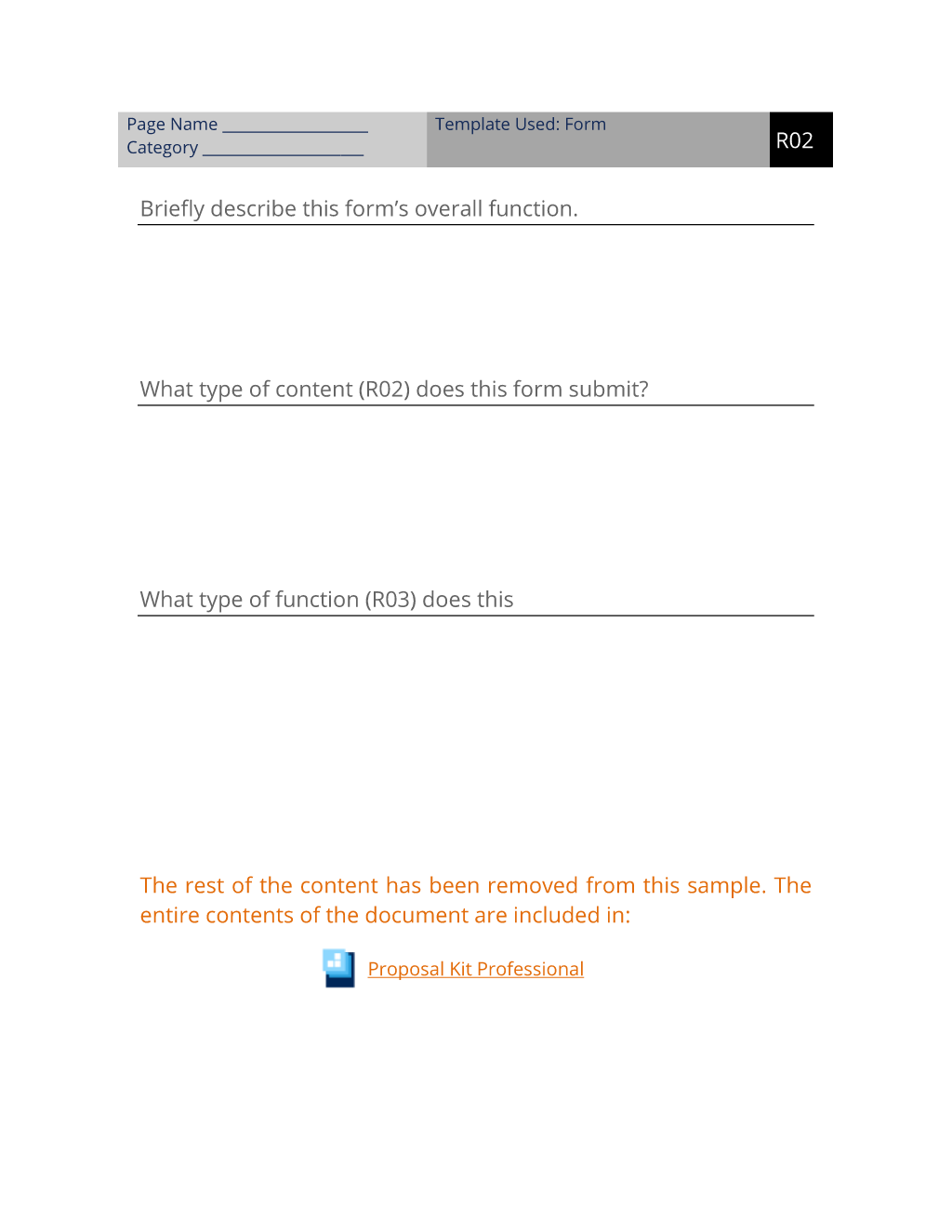
Category Template Used: Form R02. Briefly describe this form’s overall function. What type of content (R02) does this form submit? What type of function (R03) does this form do?
Which users (R04) use this form? This form does not include site-wide navigation elements. This form does not conform to any templates from R06.
The editable Describe User Controlled Content Worksheet (R02) document - complete with the actual formatting and layout is available in the retail Proposal Kit Professional.
20% Off Discount
 4.7 stars, based on 850 reviews
Alternate Documents
Related Documents
 Published by Proposal Kit, Inc.
We include a library of documents you can use based on your needs. All projects are different and have different needs and goals. Pick the documents from our collection, such as the Describe User Controlled Content Worksheet (R02), and use them as needed for your project.
 Facebook
 YouTube
 Bluesky
 Search Site
© 1997 - 2026, Proposal Kit, Inc. All rights reserved. Privacy Policy