

 Cart
Cart
Records Management Expanded File Plan Template
 Get 20% off ordering today: Click here for the code
Proposal Kit Professional adds business proposals, all six Contract Packs,
Project Management Pack library, and Expert Edition software.
We include this editable document in the Proposal Kit Professional. Order and download it for $199. Follow these steps to get started.
 DOWNLOADABLE, ONE-TIME COST, NO SUBSCRIPTION FEES
Key Takeaways
- One-time License, No Subscriptions: Pay once and use Proposal Kit forever-no monthly fees or per-use charges.
- Built for Business Projects: Start with a proven Records Management Expanded File Plan Template and tailor sections, fields, and branding for your day-to-day project work.
- Instant Access: Download immediately and open the document right away-no waiting, no onboarding delay.
- Project-Ready Structure: Use a ready, professional layout for real-world project tasks (checklists, forms, analysis pages) so teams can execute consistently.
- Fully Editable in Word: Edit everything in Microsoft Word-swap text, add/remove sections, and apply your logo/colors without special skills.
- Step-by-Step Wizard Help: The Proposal Pack Wizard guides you with training/help and keeps you moving-no getting stuck on formatting or assembly steps.
- Wizard Data Merge & Project Management: Let the Wizard manage projects and merge recurring data (company/client names, addresses, dates) across your project documents.
- Included in Proposal Kit Professional: Available exclusively in the Proposal Kit Professional bundle.
 What Our Clients Say
Very useful for science and technology grants and contracts...especially when competing for that same loaf of bread."
Principal Research Scientist
Primordial Soup, LLC.
1. Get Proposal Kit Professional that includes this business document.
We include this Records Management Expanded File Plan Template in an editable format that you can customize for your needs.
2. Download and install after ordering.
Once you have ordered and downloaded your Proposal Kit Professional, you will have all the content you need to get started with your project management.
3. Customize the project template with your information.
You can customize the project document as much as you need. You can also use the included Wizard software to automate name/address data merging.
Use cases for this document
Riverton Health Network aligns retention with a compliance turnaround
The Challenge
CIO Maya Chen faced an audit with patient records scattered across clinics, unclear retention duration, and no consistent cut-offs, leaving high-risk content stuck in pending documents with no action status.
The Solution
They adopted a file plan and configured Microsoft Purview retention labels and label policies, deciding when created or based on event triggers for HR and clinical files, and choosing review required versus auto-delete paths by category; Proposal Kit's document creation tools produced a compliance roadmap and SOPs, its AI Writer drafted staff training guides and exception report procedures, its RFP Analyzer shaped a vendor RFP for backfile scanning, and line-item quoting supported a rollout budget proposal for executives.
The Implementation
Admins used a csv template to create a label set, tuned label settings, and used an auto-apply policy to apply a retention label automatically to discharge packets and billing records; they exported retention labels to verify mappings, then uploaded a file to import into your file plan with reference id, business function department, authority type, and provision citation, and published the labels with multi-stage disposition review including add to new disposition order steps.
The Outcome
The audit passed, storage costs dropped via controlled auto-delete for low-risk materials, destruction disposition status was tracked, and active status items moved to inactive status predictably, with Proposal Kit documentation keeping departments aligned and accountable.
Northwind Components cleans up equipment and legal records after acquisitions
The Challenge
COO Victor Hale inherited three plants where equipment manuals, warranties, and invoices lived in silos, creating duplication and missed disposal dates when systems were replaced.
The Solution
An expanded file plan standardized file plan descriptors and event-based retention for maintenance logs and contracts; Proposal Kit's document creation assembled an integration playbook, the AI Writer produced change management briefs and training, the RFP Analyzer compared migration vendors, and line-item quoting built a phased rollout and training budget for the board.
The Implementation
The team exported all retention labels from legacy tenants, performed an export to CSV, normalized label properties for import, and used download a blank template to map fields before import into your file plan; they created labels for record series, auto-apply a label to CAD drawings when created, published label policies, scheduled exception report reviews, and used add to new disposition order to batch maturing files toward destruction disposition status with review required for litigated matters.
The Outcome
Cycle times shrank, redundant archives were eliminated, and equipment records now cut off when labeled as replaced, while Proposal Kit artifacts kept executives, plant managers, and counsel synchronized.
BlueLedger wins enterprise deals by proving disciplined records governance
The Challenge
Founder Serena Ortiz needed to satisfy enterprise security questionnaires and SOC 2 expectations, but marketing assets, sales reports, and HR records lacked clear retention rules and evidence of control.
The Solution
They instituted retention labels with label settings keyed to last modified for marketing, when labeled for contracts, and based on event for I-9s; Proposal Kit's AI Writer created a security white paper and policy summary for prospects, document creation produced an enablement manual, the RFP Analyzer tailored responses to client questionnaires, and line-item quoting packaged a client-facing rollout plan.
The Implementation
Admins used to create a label for each series, auto-apply a label to campaign materials, declare records on executed agreements, and configure multi-stage disposition review so reviewers could move disposition status from pending to destruction or no action; they edited retention labels as feedback arrived, could delete retention labels retired by policy changes, and published the labels across repositories after a pilot.
The Outcome
BlueLedger shortened sales cycles, reduced storage through targeted auto-delete, and produced clean exception reports on demand, while Proposal Kit documentation provided consistent evidence of governance in every proposal and diligence exchange.
Abstract
This file plan defines how a company organizes, retains, and disposes of business records across its lifecycle. It starts with a practical taxonomy and base record series, then scales to an expanded scheme for organizations with greater compliance and litigation risk. The basic plan groups documents by function: administration, asset and facility management, legal and accounting, human resources, information systems, and sales and marketing, while specifying media, retention period, and the activity that created the record. The expanded plan adds governance details such as vital or historic designations, cut-off events that trigger disposition, storage locations, regulatory references, and the staff authorized to approve disposition.
Teams can translate this structure directly into Microsoft Purview by creating retention labels for each record series, setting a retention duration, and choosing when the clock starts (when created, last modified, when labeled, or based on an event such as employee termination). Use a label policy to publish labels or an auto-apply policy to apply a retention label automatically to matching content. Over time, retention labels move from active status to inactive status, and records can enter multi-stage disposition review with pending documents, move disposition status, destruction disposition status, or no action status.
Exception report workflows help identify gaps. Mature documents can be added to new disposition order batches, and organizations can declare records when business rules require it.
For scale, administrators can export retention labels, export all retention labels, or export to CSV, download a blank template, and upload a file to import retention labels. Purview supports CSV template imports with label properties for import, including file plan descriptors such as reference ID, business function department, authority type, and provision citation. This enables a centralized file plan inventory and ensures consistency when you edit retention labels, delete retention labels, or publish the labels. Some teams treat this as an expanded A.I.R.E.S. view of content risk and ownership.
Use cases include a manufacturer managing equipment documentation until disposal, a services firm retaining invoices and payroll for seven years, and an HR department applying event-based retention to I-9s after termination. Marketing can apply labels to sales reports and literature created for campaigns.
Proposal Kit helps organizations operationalize plans like this with document assembly, automated line-item quoting for projects, an AI Writer that can build supporting records policies, and an extensive template library. Its ease of use helps teams quickly standardize file plans and related governance documents.
Beyond the core structure, this plan benefits leaders by clarifying operational choices in the retention workflow. Teams decide whether a disposition step is review required or auto-delete at the end of a retention duration, and they document those decisions so they are repeatable. Administrators create a label for each record series, fine-tune label settings to define start events and actions, and use label policies to publish governance across repositories.
Where scale is needed, they auto-apply a label based on metadata or content conditions and import into your file plan using a CSV. During disposition, records managers can add to new disposition order batches for orderly processing, while exception items route to a reviewer. This approach reduces uncertainty, improves audit readiness, and supports change management as departments mature their practices.
Proposal Kit helps organizations produce the written standards that make these controls work. Teams can assemble policy manuals, operating procedures, checklists for creating a label and auto-apply a label decision, and training guides for label policies, label settings, and disposition steps like review required or auto-delete. The AI Writer can write supporting instructions for CSV-based onboarding and how to import into your file plan, while the template library accelerates playbooks for adding to new disposition order reviews. The result is consistent documentation that aligns business stakeholders, IT admins, and records managers.
To make this plan operational day-to-day, establish clear decision rules for cut-offs and status changes. Set labels to active status upon application, then move them to inactive status when the retention duration completes. Schedule quarterly exception report reviews to surface pending documents stuck in no action status, and use move disposition status to reroute items when ownership changes.
For high-risk categories, require review steps before destruction; for low-risk volumes, allow auto-delete to control storage costs. Align destruction disposition status with the designated approver to ensure accountability.
During integrations, mergers, or system cleanups, streamline scaling through metadata. Export retention labels or export all retention labels, reconcile them in an export to CSV, and normalize with a CSV template. Download a blank template, map file, plan descriptors such as reference ID, business function department, authority type, and provision citation into label properties for import, then upload a file to import into your file plan. After validation, publish labels or publish the labels to targeted repositories.
Optimize automation by tuning label settings. Create a label for each record series and historic category; use event-based retention for situations like employee termination; and apply a retention label automatically with an auto-apply policy. Where content varies, auto-apply a label using conditions such as when created, last modified, or when labeled. For governance checkpoints, declare records and add to new disposition order batches for orderly, auditable processing.
Practical situations include consolidating board and committee materials retained indefinitely, onboarding legacy HR personnel records with event-based cut-offs, and normalizing IT maintenance logs that expire after system replacement. Proposal Kit can help teams document these rules, build step-by-step playbooks for label policies, and coordinate stakeholders through clear, assembled procedures and AI-assisted writing, accelerating adoption while keeping the file plan consistent across departments.
How to write my Records Management Expanded File Plan Template document
File Plan
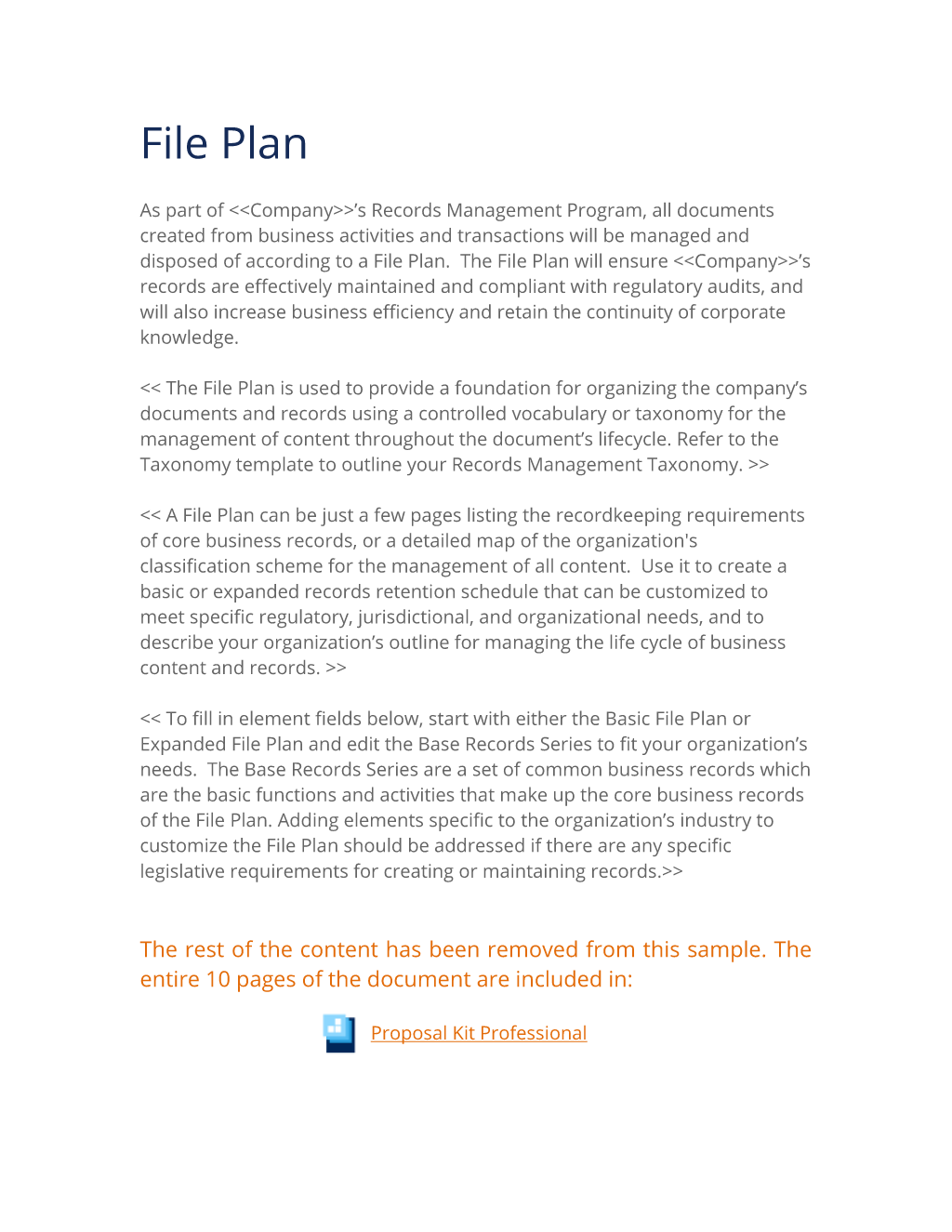
As part of Company Name's Records Management Program, all documents created from business activities and transactions will be managed and disposed of according to a File Plan. The File Plan will ensure Company Name's records are effectively maintained and compliant with regulatory audits, and will also increase business efficiency and retain the continuity of corporate knowledge. The File Plan is used to provide a foundation for organizing the company's documents and records using a controlled vocabulary or taxonomy for the management of content throughout the document's lifecycle.
Refer to the Taxonomy template to outline your Records Management Taxonomy. A File Plan can be just a few pages listing the recordkeeping requirements of core business records, or a detailed map of the organization's classification scheme for the management of all content. Use it to create a basic or expanded records retention schedule that can be customized to meet specific regulatory, jurisdictional, and organizational needs, and to describe your organization's outline for managing the life cycle of business content and records. To fill in element fields below, start with either the Basic File Plan or Expanded File Plan and edit the Base Records Series to fit your organization's needs.
The Base Records Series are a set of common business records which are the basic functions and activities that make up the core business records of the File Plan. Adding elements specific to the organization's industry to customize the File Plan should be addressed if there are any specific legislative requirements for creating or maintaining records.
Basic File Plan Element #1
The Basic File Plan retention schedule categorizes documents and records into Record Series that group together documents by common functions and activities. The Description is the activity or transaction source of the document. The Medium is the physical attribute of the document, and Retention Period is the suggested time to keep the record to disposition. RECORDS SERIES ADMINISTRATION DESCRIPTION MEDIUM RETENTION PERIOD The Administration records series relates to the performance or management of business operations and the making or implementing of decisions, and includes a wide variety of general administrative matters.
Company's minute book Electronic 7 years Board and Board Committee materials Electronic Indefinitely Corporate policies Electronic Indefinitely add record category descriptions, add medium, add retention, add record category descriptions, add medium, add retention, ASSET AND FACILITY MANAGEMENT Asset and Facility Management relate to the management and maintenance of equipment, vehicles, facilities and buildings. DESCRIPTION MEDIUM RETENTION PERIOD Equipment and vehicle management (i.e., equipment and system documentation, leasing, usage, salvage, disposition). Paper, electronic 6 years after the equipment or system is disposed of or replaced.
DESCRIPTION MEDIUM RETENTION PERIOD Accident reports and claims Paper, electronic Expiration + 7 years Contracts Paper, electronic Expiration + 7 years Legal actions and issues Paper, electronic Expiration + 7 years. DESCRIPTION MEDIUM RETENTION PERIOD Accounts payable ledgers and schedules Paper, electronic 7 years Accounts receivable ledgers and schedules Paper, electronic 7 years Invoices Paper 7 years Payroll Electronic 7 years. DESCRIPTION MEDIUM RETENTION PERIOD I-9 forms Image electronic 1 year after termination Employee personnel records Paper and electronic 7 years (after termination) Resumes Paper and electronic 3 years W-2, W-4 forms Image electronic 4 years.
DESCRIPTION MEDIUM RETENTION PERIOD Manuals, warranties, maintenance logs, and any other records documenting the operation and use of IT hardware and software Paper and electronic After the equipment or system is disposed of or replaced. DESCRIPTION MEDIUM RETENTION PERIOD Sales reports Electronic Create date plus 7 years Case studies, brochures, advertisements, flyers, catalogs, pre-sales literature Electronic Create date plus 7 years.
Expanded File Plan Element #2
The Expanded File Plan categorizes the records metadata in a scheme for increased accuracy and control. The metadata fields for vital or historical records, location of content, and identifying the owner of records improve governance and demonstrate compliance to regulatory audits and controls. Organizations with high risk of litigation and large volumes of content should use the Expanded File Plan Template. Vital records require special protection, such as redundant backups, and refer to the set of records that are critical to the organization's existence.
Historical records may have great importance in the future and need to be retained most often indefinitely. The Cut-Off field is the condition that triggers the countdown for Disposition. Defining the location of stored content across the enterprise will direct the disposition authority or researcher to the location of the object for disposition or discovery.
Cataloging the personnel responsible for the authorization of the disposition of the content demonstrates that the organization's Records Management Program is managing the complete lifecycle from creation to destruction. ADMINISTRATION - The Administration records series relates to the performance or management of business operations and the making or implementing of decisions, and includes a wide variety of general administrative matters. RECORD TITLE AND DESCRIPTION MEDIA TYPE DEPT VITAL RECORD. (Y/N) CUT-OFF DISPOSITION REGULATORY REFERENCE STORAGE CONTACT Company's minute book Electronic Admin N N Date created 7 years Department policy Network file share server name CEO Board and Board Committee materials Electronic Admin N Y Date created Indefinitely Department policy Network file share CEO Corporate policies Electronic Admin Y Y Date created Indefinitely Department policy Network file share CEO add record category descriptions, add record category descriptions.
ASSET AND FACILITY MANAGEMENT - Asset and Facility Management relates to the management and maintenance of equipment, vehicles, facilities and buildings. RECORD TITLE AND DESCRIPTION MEDIA TYPE DEPT VITAL RECORD. (Y/N) CUT-OFF DISPOSITION REGULATORY REFERENCE STORAGE CONTACT Equipment and Vehicle Management (i.e., equipment and system documentation, leasing, usage, salvage, disposition). Paper and electronic Audit N N Expire or superseded 6 years after the equipment or system is disposed of or replaced Department policy File cabinet and network file share CFO add record category descriptions, add record category descriptions.
LEGAL RECORDS - Records related to litigation and legal issues. RECORD TITLE AND DESCRIPTION MEDIA TYPE DEPT VITAL RECORD.
(Y/N) HISTORIC RECORD
(Y/N) CUT-OFF DISPOSITION REGULATORY REFERENCE STORAGE CONTACT Accounts payable ledgers and schedules Paper, electronic Acct. N N Date created 7 years Department policy Electronic Content Management System CFO Accounts receivable ledgers and schedules Paper, electronic Acct. N N Date created 7 years Department policy Electronic Content Management System CFO Invoices Paper Acct.
Y Y Date created 7 years Department policy Content Management System CFO Payroll Electronic Acct. Y Y Date created 7 years Department policy Electronic Content Management System CFO add record category descriptions, add record category descriptions. HUMAN RESOURCES MANAGEMENT - Records relating to managing the company's workforce, including but not limited to benefits, labor relations, misconduct/discipline/grievances, occupational health and safety, performance management, personnel, position development/staff structure, recruitment/hiring, staff development and training. RECORD TITLE AND DESCRIPTION MEDIA TYPE DEPT VITAL RECORD.
(Y/N) HISTORIC RECORD
(Y/N) CUT-OFF DISPOSITION REGULATORY REFERENCE STORAGE CONTACT I-9 forms Image electronic HR N N Employee termination 1 year Dept. Policy File cabinet and network file share Director HR Employee personnel records Paper and electronic HR N N Employee termination 7 years Dept. Policy File cabinet and network file share Director HR Resumes Paper and electronic HR N N Date created 3 years Dept. Policy File cabinet and network file share Director HR W-2, W-4 forms Image electronic HR N N Date created 4 years Dept.
Policy File cabinet and network file share Director HR add record category descriptions. INFORMATION MANAGEMENT - Records related to the management of automated information systems and the administration of computer applications and electronic data. RECORD TITLE AND DESCRIPTION MEDIA TYPE DEPT VITAL RECORD.
(Y/N) HISTORIC RECORD
(Y/N) CUT-OFF DISPOSITION REGULATORY REFERENCE STORAGE CONTACT Manuals, warranties, maintenance logs, and any other records documenting the operation and use of IT hardware and software Paper and electronic IS N N After the equipment or system is disposed of or replaced 1 year Dept. policy Network file share CTO add record category descriptions, add record category descriptions. SALES AND MARKETING MANAGEMENT - Records and reference material about the company and its products and/or services. RECORD TITLE AND DESCRITPION MEDIA TYPE DEPT VITAL RECORD.
(Y/N) HISTORIC RECORD
(Y/N) CUT OFF DISPOSITION REGULATORY REFERENCE STORAGE CONTACT Sales reports Electronic Sales N N Date created 7 years Dept. Policy Network file share Director of Sales and Marketing Case studies, brochures, advertisements, flyers, catalogs, pre-sales literature Electronic Marketing N Y Date created 7 years Dept. Policy Network file share Director of Sales and Marketing add record category descriptions, add record category descriptions.
The editable Records Management Expanded File Plan Template document - complete with the actual formatting and layout is available in the retail Proposal Kit Professional.
20% Off Discount
 4.7 stars, based on 850 reviews
Alternate Documents
Related Documents
- Records Inventory Worksheet Questionnaire for Business Units
- Records Management Pre-Inventory Survey
- Records Survey and Inventory Analysis
- Business Case for Records Management
- Records Management Program Analysis Document
- Records Management Policies and Procedures
- Physical Content Management Box Label
- Records Access Security Plan
- Records Management Metadata Model
- Records Management Governance Plan
- Records Management Topic Template
- Records Management Taxonomy Topic Template
- Application for Records Retention Form
- Authorization for Records Destruction Form
- Formal Record Hold Investigation Form
- Formal Record Hold Notice Form
- Release of Legal Hold Notice Form
- Record Retention Schedule Change Form
- Legal Hold and Discovery Log
- Records Disposition Log
- Records Inventory Worksheet
- Records Access Security Plan (Expanded)
- Communication Plan
- RACI Matrix Worksheet
- User Acceptance Testing (UAT) Schedule
- User Acceptance Testing (UAT) Enhancements and Bug Tracker
- Risk Mitigation Plan
 Published by Proposal Kit, Inc.
We include a library of documents you can use based on your needs. All projects are different and have different needs and goals. Pick the documents from our collection, such as the Records Management Expanded File Plan Template, and use them as needed for your project.
 Facebook
 YouTube
 Bluesky
 Search Site
© 1997 - 2026, Proposal Kit, Inc. All rights reserved. Privacy Policy